Setting Clocks Back in Fall: A Practical Guide
Learn how the fall clock change works, when 2 a.m. repeats, which devices need attention, and whether you gain an hour.
When the clocks shift back in the fall, many of us wonder how the change actually works, what it means for our daily schedules, and whether we truly lose an hour of sleep. This guide explains the mechanics of the fall back, the significance of the repeated hour, and practical tips for adjusting your devices and routines so you can transition smoothly.
Which direction clocks move when we fall back
During the fall back, the standard practice is to set clocks one hour earlier. At 2:00 a.m. local time, the clock is turned back to 1:00 a.m., effectively repeating the 1:00‑2:00 a.m. hour. This reversal is the opposite of the spring forward, where clocks jump forward one hour at 2:00 a.m. The direction—backward—ensures that evenings receive an extra hour of daylight, which is the primary goal of daylight‑saving time. The change is coordinated across time‑zone boundaries so that all local times within a zone shift together, maintaining consistency for travel, commerce, and broadcasting. The practice is governed by national or regional legislation that specifies the exact moment of the shift, typically the first Sunday in November in the United States. By moving the clock back, the local time zone effectively reverts to its standard‑time offset, and the extra hour of daylight is returned to the evening. This adjustment is simple to perform on most analog clocks, digital watches, and electronic devices, though some may require manual re‑setting or an automatic update.
What the repeated 1 a.m. hour means
The hour that repeats—1:00 a.m. to 2:00 a.m.—is a unique feature of the fall back. During this period, the same local time occurs twice, once before the clock is set back and once after. For most people, this means that the night is one hour longer, offering an extra hour of rest or work. However, the repetition can cause confusion for time‑sensitive activities. For example, scheduled appointments, flights, or broadcasts that rely on a single timestamp may need to specify whether they refer to the first or second instance of the hour. Many transportation systems and digital calendars automatically adjust for the repeat, but manual scheduling still requires attention. In terms of sleep, the repeated hour can help people recover from the sleep loss experienced during the spring forward, as the body has an extra hour to adjust. For businesses, the repeat hour can affect payroll calculations, shift scheduling, and compliance with labor regulations that count hours worked. Overall, the repeated 1 a.m. hour is a deliberate design to smooth the transition back to standard time while preserving the benefits of daylight savings.
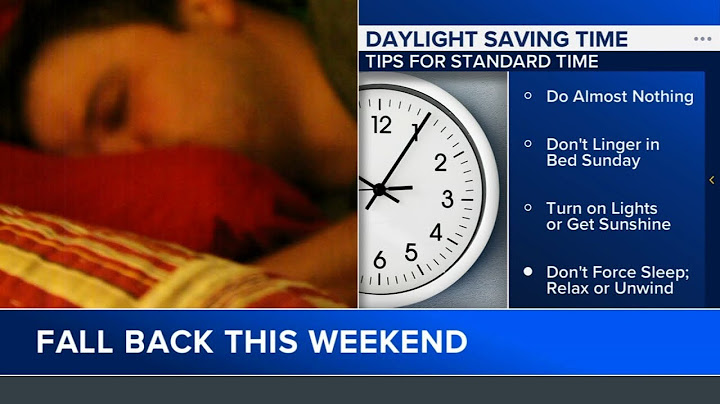
How to adjust analog and manually set digital clocks
When the clocks go back at 2 a.m., you must manually set each analog clock to the correct time. Most analog clocks have a small crown or knob on the side; turn it to the new time and then push it back to the dial. For digital clocks that are not connected to a network—such as alarm clocks, microwave timers, or wall clocks—use the buttons labeled ‘Set’ or ‘Adjust’. Press the button, use the hour and minute arrows to move the display to the new time, and confirm with the ‘Set’ button again. If the clock has a battery backup, make sure the battery is still good; a weak battery can cause the clock to drift. For clocks that have a separate alarm function, adjust the alarm time separately after you set the main time. It is a good practice to double‑check the time on a phone or computer after you finish setting all clocks, ensuring every device shows the same time.
Which phones and computers usually update automatically
Most smartphones and computers are set to update their clocks automatically through the internet or a cellular network. On iOS devices, the setting is called ‘Set Automatically’ under Settings → General → Date & Time; when enabled, the phone pulls the correct time from Apple’s servers. Android phones typically use the same feature, found under Settings → System → Date & Time, and will sync with the network’s time server. On Windows PCs, the time is usually synchronized with Microsoft’s time servers; you can verify this by opening Settings → Time & Language → Date & Time and ensuring the ‘Set time automatically’ toggle is on. macOS devices sync with Apple’s servers as well; the setting is under System Preferences → Date & Time. If you have a device that is offline or set to manual time, you will need to adjust it manually as described in the previous section.
How extra-hour sleep and scheduled events can be affected
On the night that clocks move back, the hour between 1:00 a.m. and 2:00 a.m. repeats. This means that any activity scheduled during that window will occur twice. For example, a 1:30 a.m. meeting will run from 1:30 a.m. to 2:30 a.m. the first time, and then again from 1:30 a.m. to 2:30 a.m. the second time. If you are a parent, a child’s bedtime routine that starts at 1:30 a.m. will be delayed by an hour, potentially disrupting the child’s sleep cycle. Similarly, a fitness class that starts at 1:30 a.m. will be held twice, which can affect attendance and billing. For those who rely on medication schedules, a dose timed for 1:45 a.m. will need to be taken twice, unless the healthcare provider advises otherwise. In contrast, people who work standard daytime hours will simply gain an extra hour of sleep, as the day length increases from 23 to 25 hours. This extra hour can be used for rest, exercise, or catching up on tasks, but it also requires adjusting any recurring alarms or reminders that were set for the repeating hour.
Quick checklist for the evening before the switch
1. **Set your alarm clocks** – If you use a digital alarm, set it to the new time (e.g., 2:00 a.m. becomes 1:00 a.m.). For analog clocks, simply turn the hands back one hour. 2. **Update electronic devices** – Most smartphones, tablets, and computers will prompt you to adjust the time. If not, go to Settings → Date & Time and toggle the automatic update off, then set the correct time manually. 3. **Check smart home devices** – Voice assistants and smart thermostats often sync with your phone’s time. Verify that they reflect the new time after the change. 4. **Adjust recurring appointments** – Review calendar entries that fall between 1:00 a.m. and 2:00 a.m. and decide whether they should be rescheduled or duplicated. 5. **Inform household members** – Remind everyone to set their watches and clocks back, especially if you have a shared family calendar. 6. **Prepare for the extra hour** – Plan a relaxing activity or a short nap to take advantage of the additional hour of sleep. 7. **Double‑check medication schedules** – If you take medication at 1:30 a.m., confirm whether you need to take it twice or skip the second dose. 8. **Set your car’s clock** – If your vehicle’s clock is not connected to a network, manually set it back one hour. 9. **Check your email and news apps** – Some services may display timestamps that need adjustment; refresh or restart the app after the change. 10. **Sleep hygiene** – Go to bed a bit earlier to accommodate the shift and avoid feeling rushed in the morning.
Related reading
Daylight Saving Time in the US: How It Works
